


3 Merchant Center Mistakes Killing Your Google Shopping Sales
March 27, 2026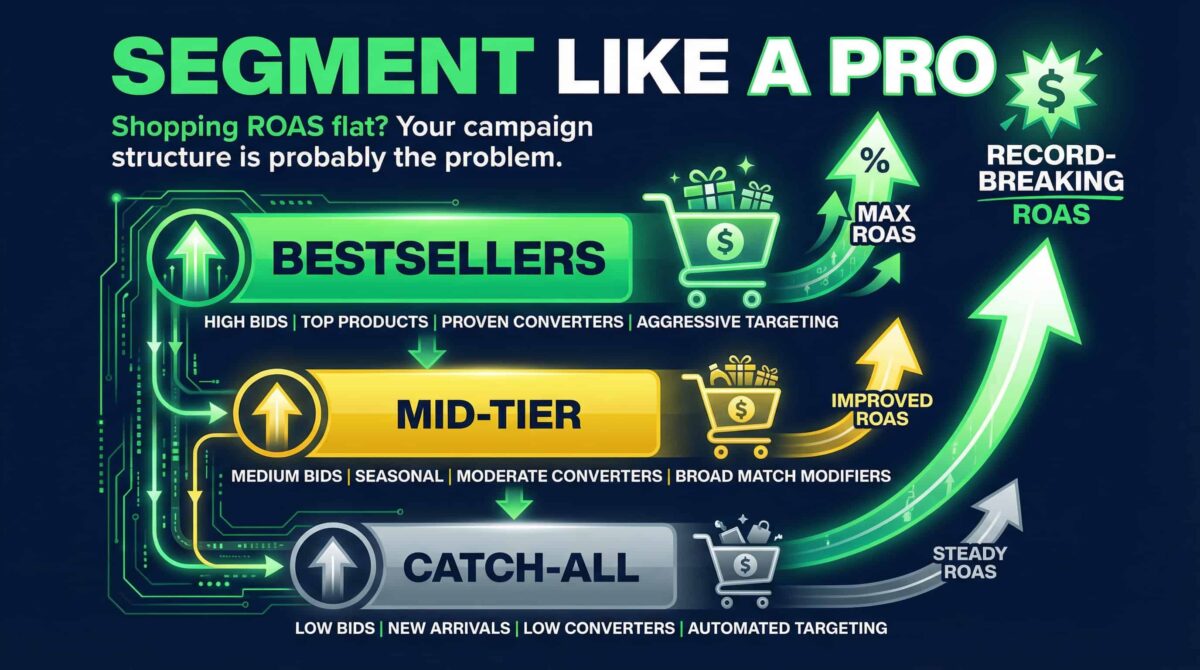
If your Shopping ROAS has been sitting flat for a while — not terrible, not great — there’s a good chance your campaign structure is the problem. Not your bids. Not your product feed. The structure.
I see this across accounts all the time. Everything gets dumped into one campaign. Bestsellers, clearance items, high-margin products, slow movers — all competing for the same budget. The algorithm doesn’t know what to prioritize, so it averages everything out. And “average” is exactly what you get.
Here’s the three-step segmentation framework I use to fix it.
If your Shopping ROAS has been sitting flat for a while — not terrible, not great — there’s a good chance your campaign structure is the problem. Not your bids. Not your product feed. The structure.
I see this across accounts all the time. Everything gets dumped into one campaign. Bestsellers, clearance items, high-margin products, slow movers — all competing for the same budget. The algorithm doesn’t know what to prioritize, so it averages everything out. And “average” is exactly what you get.
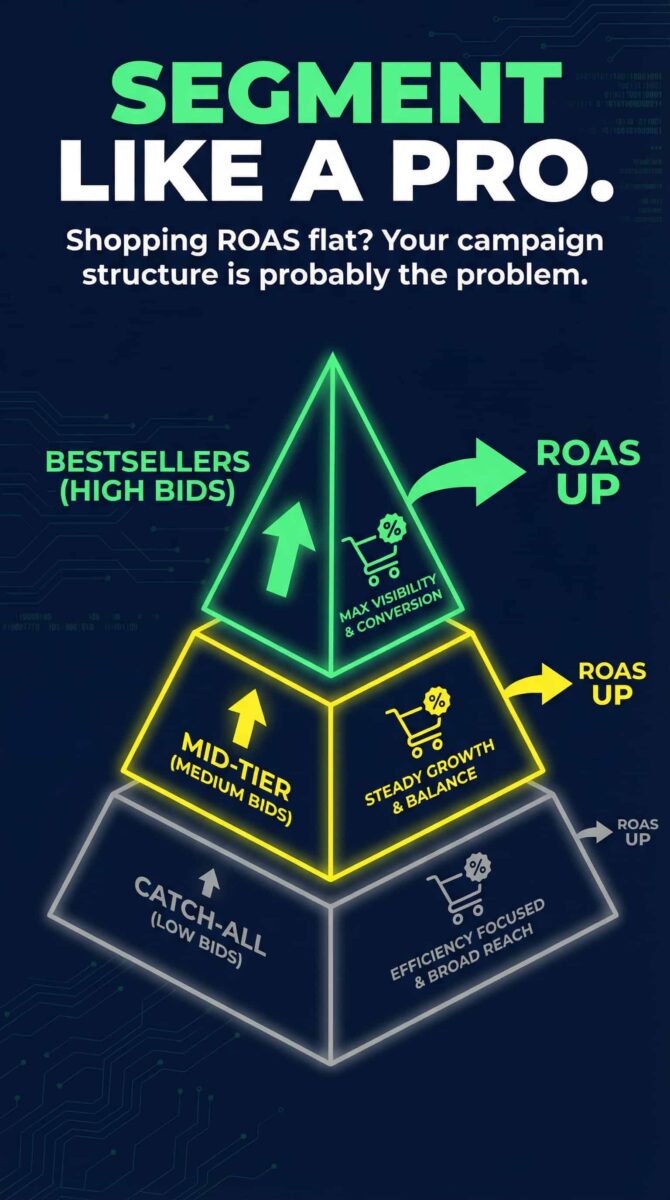
Here’s the three-step segmentation framework I use to fix it.
Step 1: Split Your Campaigns by Performance
The first move is the simplest, and it makes an immediate difference. Pull your top-performing products — your actual bestsellers — out of the general campaign and put them in their own dedicated campaign with higher bids.
These are your proven converters. They’ve earned aggressive spend. Keeping them in a shared campaign with underperformers dilutes their budget and caps their scaling potential.
Your slow movers and lower-priority products? They go into a catch-all campaign with controlled, lower bids. You’re not eliminating them — you’re containing them. This way, they don’t quietly drain the budget that should be going to products that actually convert.
Step 2: Use Custom Labels for Margin-Based Bidding
This is the step most advertisers skip — and it’s where the real edge is.
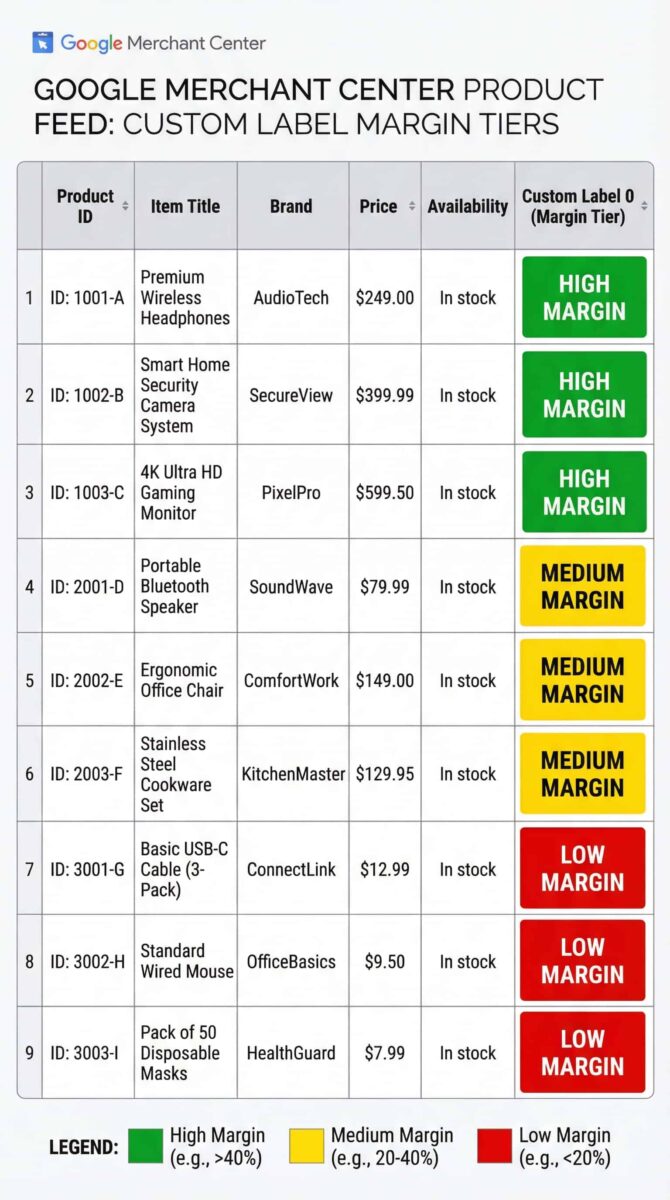
Inside your Google Merchant Center product feed, you have access to five custom label fields. Use them. Tag your products by margin tier: high, medium, low. Once those labels are in your feed, you can build campaign segments around them and bid accordingly.
This changes the entire logic of how you’re spending. Instead of bidding based on traffic patterns alone, you’re aligning your spend closer to actual profitability. A high-margin product can support a higher CPC. A low-margin product can’t — and if you’re not accounting for that, you’re probably overpaying for clicks that don’t move the needle on profit.
Step 3: Set Campaign Priority Deliberately
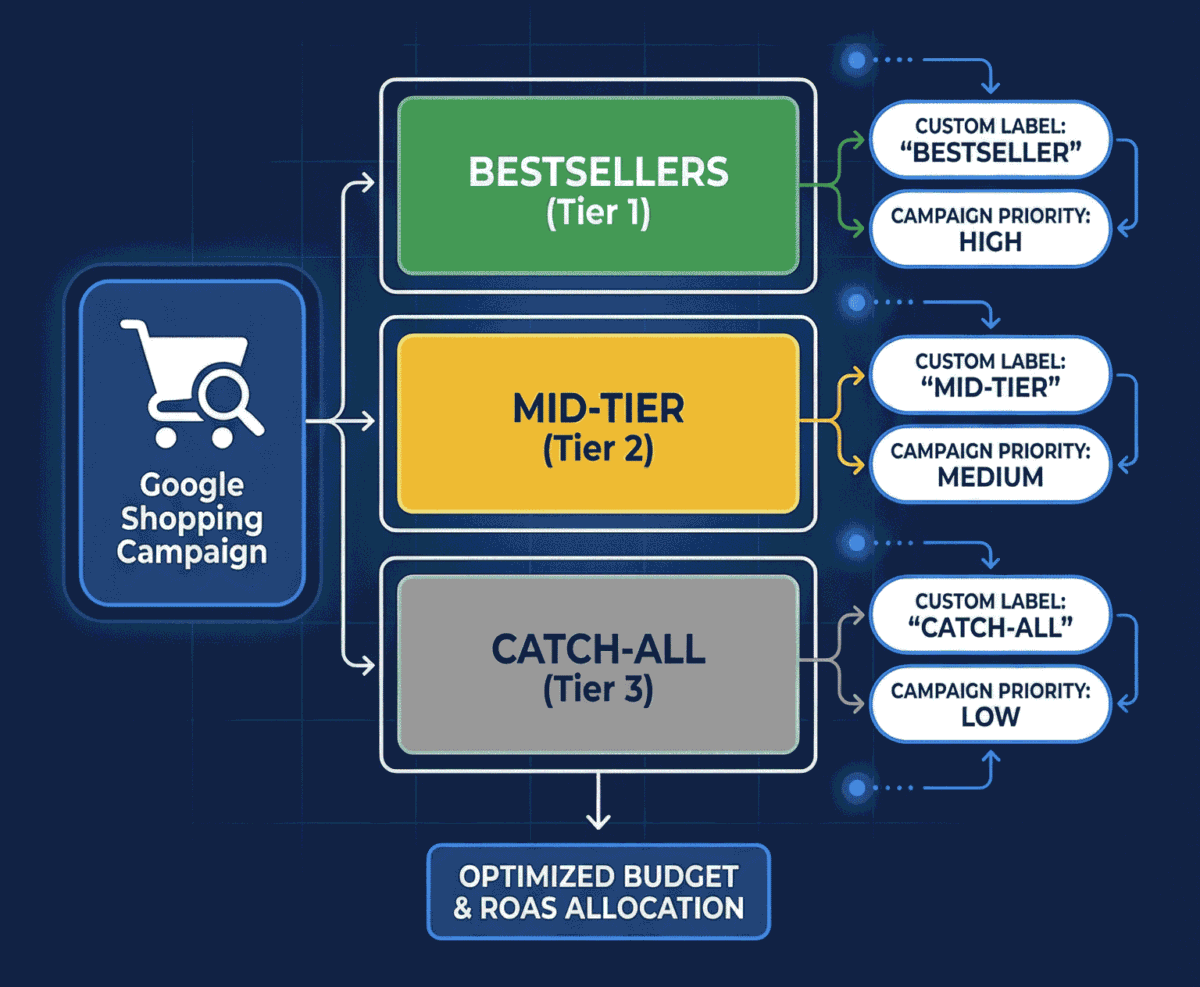
Campaign priority is one of those settings that looks minor but has a significant structural impact. Google uses it to determine which of your campaigns gets priority when multiple campaigns are eligible to serve an ad for the same product.
Here’s how I set it: High priority for branded campaigns — when someone is searching for your brand specifically, that campaign should win. Low priority for your catch-all campaign — it serves as the fallback when nothing more specific matches.
Without deliberate priority settings, you end up with campaigns competing against each other for the same queries. That’s budget fragmentation. And it’s avoidable.
The Bottom Line
Campaign segmentation isn’t about creating complexity. It’s about creating control. When your best products have their own space, your bids reflect your margins, and your priority settings direct traffic intentionally — you stop averaging everything out and start scaling what actually works.
These three structural changes are usually among the first things I address in a new Shopping account. The shift in ROAS clarity alone is worth the setup time.
If you want a free audit of your Google Shopping campaign structure, I’m available on Upwork: 👉 Free Google Ads Audit — Naz Diocampo on Upwork
