


Why Your Google Shopping ROAS Is Low (And How to Fix It)
March 29, 2026
Google Ads Audience Targeting: 3 Types That Actually Work (and How to Implement Them)
March 31, 2026
Let’s be direct about something most advertisers get wrong.
You’ve already paid to get people to your site. They clicked your ad, visited your page, maybe even added something to their cart — and then they left. And what do most advertisers do next? They go spend more money trying to reach brand new strangers.
That’s backwards. And it’s expensive.
Google Ads remarketing exists to fix exactly this. It lets you re-engage the people who already know you — the ones who’ve shown real interest — with ads that are actually relevant to where they are in the buying journey. Here’s how to set it up properly.
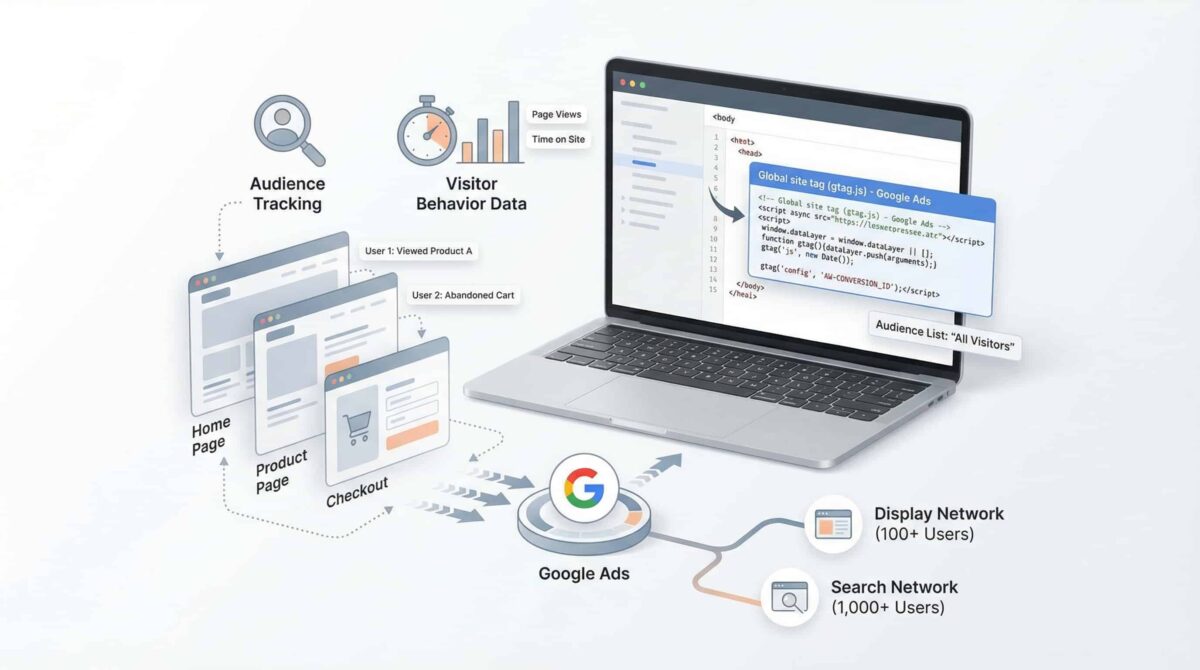
Step 1: Install the Google Ads Tag on Every Page
No tag, no remarketing. It really is that simple.
The Google Ads tag (also called the global site tag or gtag.js) is a small piece of JavaScript that you install across your website. It tracks visitor behavior and feeds that data back into your Google Ads account so you can build audience lists.
You can install it manually by adding the code to your site’s header, or through Google Tag Manager if you want a cleaner setup. Either way, it needs to be on every page — not just your homepage or landing page.
Once it’s live and collecting data, you can start building audiences based on what people actually did: which pages they visited, how long they stayed, whether they reached checkout, and so on.
One important note — Google requires a minimum audience size before your remarketing campaigns can run. For the Display Network, that’s 100 active users in the last 30 days. For Search, it’s 1,000. If you’re working with a smaller site, plan for a ramp-up period while your lists populate.
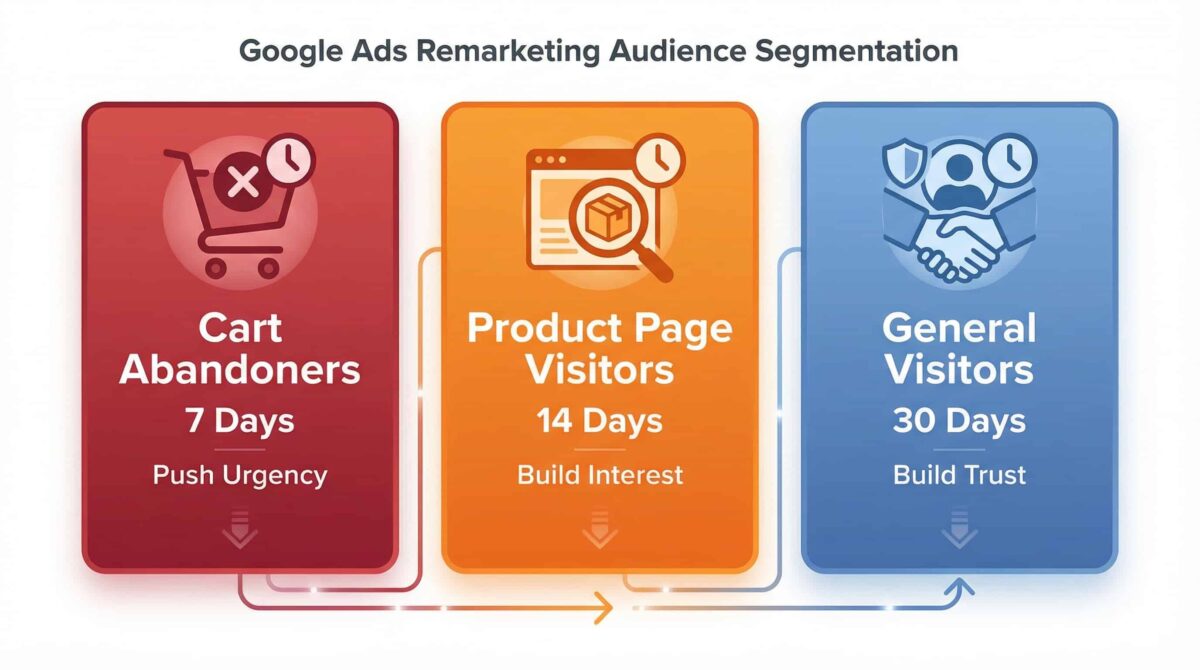
Step 2: Segment Your Audiences — Don’t Treat Everyone the Same
This is where most remarketing campaigns fall apart.
A visitor who landed on your homepage and bounced after 10 seconds is not the same as someone who added a product to their cart and didn’t check out. They’re at completely different stages of the buying process, and they need completely different messages.
Here’s a simple segmentation framework to start with:
Cart abandoners — These are your highest-intent visitors. They were close. The right move is urgency. A time-sensitive offer, a reminder of what they left behind, or a direct “come back and finish” message works well here.
Product or service page visitors — They’re interested but not committed. Your ads should build on what they saw — reinforce the benefits, address common objections, or highlight social proof.
General visitors (homepage, blog, about page) — Lower intent, but still warm. Focus on brand trust and awareness rather than a hard conversion push.
The more specific your segments, the more relevant your ads — and relevance is what drives conversions in remarketing.
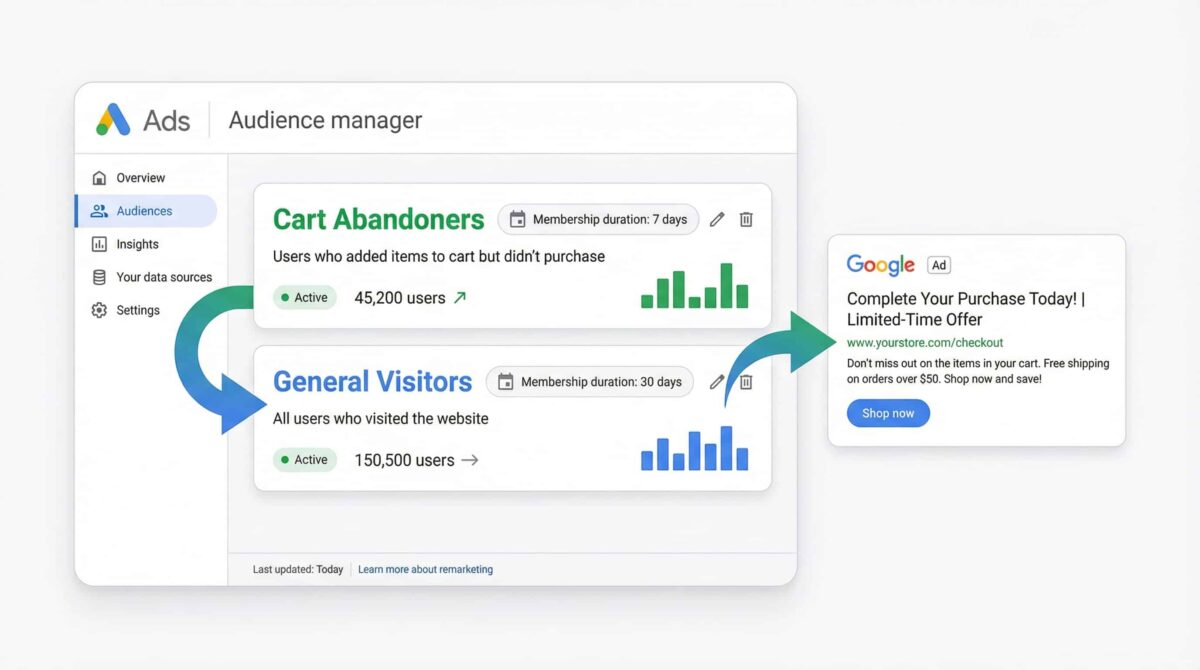
Step 3: Set the Right Membership Duration
This is the setting almost everyone ignores, and it matters more than most people realize.
Membership duration controls how long a visitor stays in your remarketing audience after their last interaction with your site. The default is 30 days, but that’s not always the right window — it depends entirely on the intent level of that audience segment.
Cart abandoners lose urgency fast. If someone abandoned their cart a week ago, they’ve either bought from a competitor, changed their mind, or forgotten about it entirely. Chasing them with ads for 30 days wastes budget. Keep this audience window short — around 7 days is a reasonable starting point.
General visitors, on the other hand, might still be in a longer consideration phase. A 30-day window makes sense here, and for some businesses with longer sales cycles, going up to 60 or 90 days is worth testing.
The rule is simple: the higher the intent, the shorter the window. Intent fades. Don’t pay to advertise to someone who’s mentally moved on.
Putting It Together
Remarketing isn’t complicated — but it does require doing three things right: installing the tag properly, segmenting your audiences by intent, and matching your membership duration to the purchase cycle of each segment.
Most Google Ads accounts I audit either aren’t running remarketing at all, or they’re running it with a single generic audience and a single generic ad. That’s leaving a significant amount of conversion potential on the table.
If you’re already driving traffic with Google Ads, remarketing is one of the highest-ROI additions you can make to your account — because you’re not paying to reach new people. You’re paying to re-engage people who already showed interest.
That’s a fundamentally different — and more efficient — use of your budget.
Want to know if your Google Ads account is set up to capture and convert your warm traffic? I offer free audits on Upwork — check the link below.
👉 Book a Free Google Ads Audit
