

Fix Google Merchant Center Misrepresentation Error (2026)
March 12, 2026
Google Shopping ROAS Tanking? Fix Your Product Feed First
March 14, 2026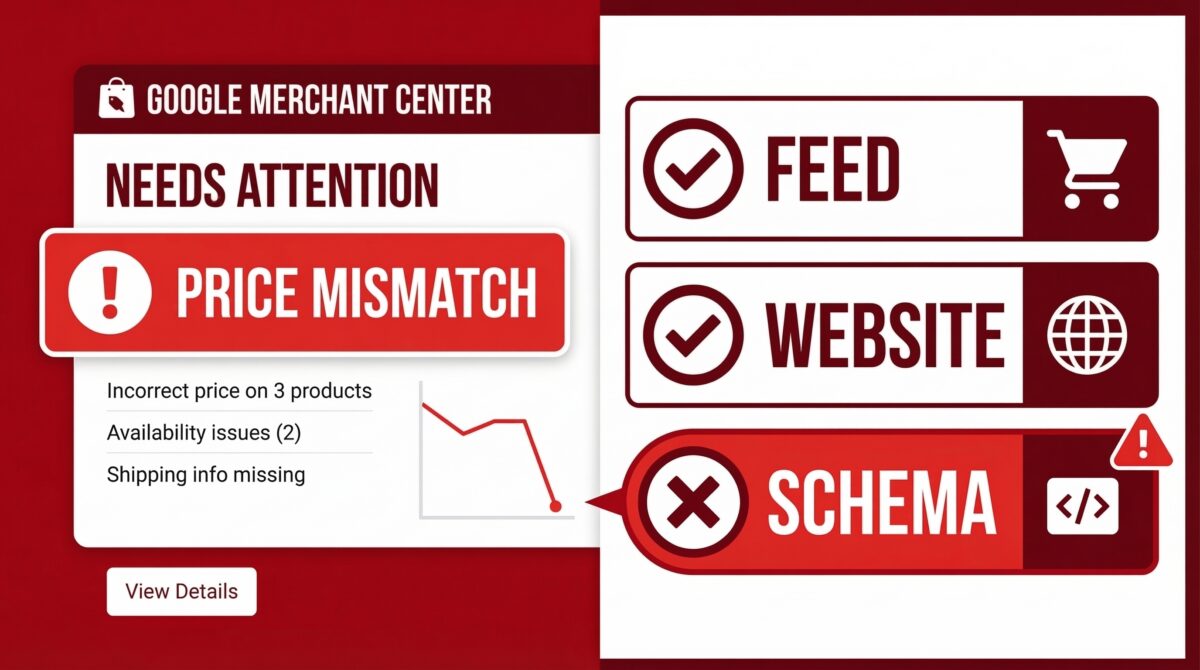
Why Your Google Shopping Ads Got Suspended in 2026
A Google Merchant Center suspension for “price mismatch” is one of the most disruptive things that can happen to a Shopping advertiser. Your ads stop running, revenue takes a hit, and the error message usually isn’t specific enough to tell you exactly where the problem is.
Here’s what’s actually going on — and how to find and fix it without burning an appeal on the wrong thing.
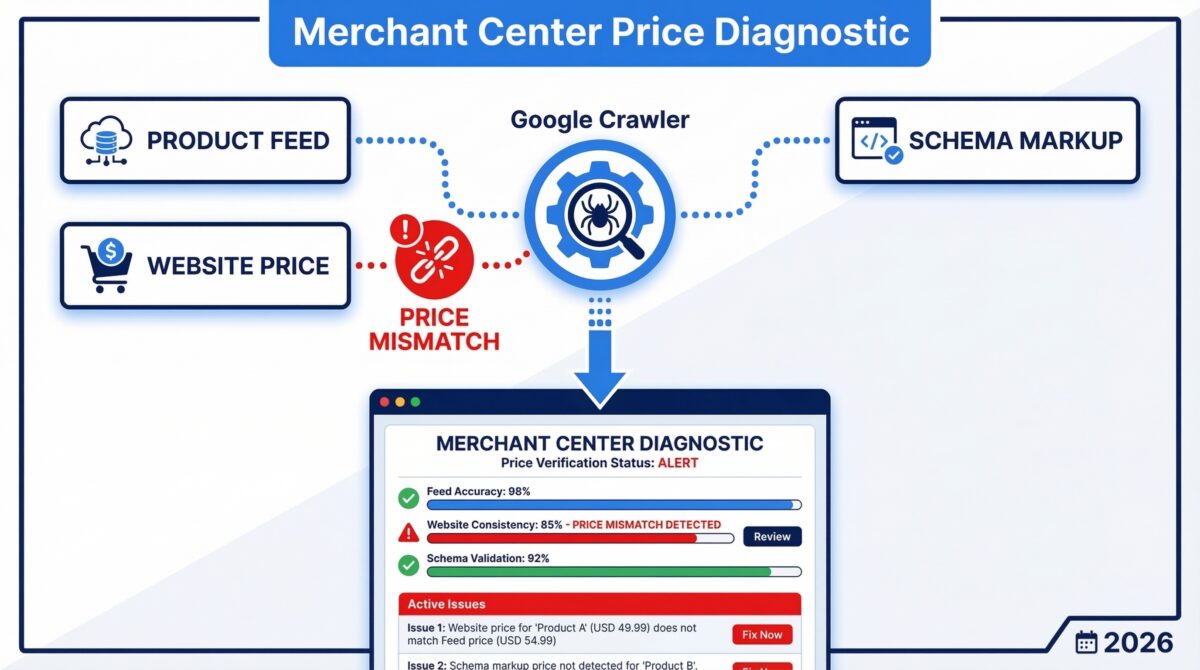
Google Checks Three Sources at the Same Time
Most store owners assume a price mismatch means their product feed has an outdated number. That’s only one possibility.
In 2026, Google cross-references three separate data sources every time it checks your pricing: your product feed, your website’s visible price, and your structured data — specifically your JSON-LD Schema markup, which is the machine-readable code embedded in your product page.
If any of those three disagree with each other, you get flagged. The scenario I see most often in audits is a store that correctly updated both their feed and their website price, but the JSON-LD Schema in their theme is still showing the old price from a sale that ended weeks ago. Google flags it as a mismatch. Suspension follows.
Before you do anything else, run your product URL through Google’s Rich Results Test. Check what price it reads from your Schema. That single step catches a significant portion of the cases I review.
Check February 2026 Before You Appeal
If your suspension appeared during February 2026, this is worth knowing before you file a formal review.
Many advertisers reported receiving misrepresentation and price mismatch flags during that period even when their feed, website, and Schema were all correctly aligned. The flags appeared to stem from issues on Google’s side rather than advertiser data.
If your timeline matches, the recommended first step is to re-submit your product feed — or make a minor edit on one of the flagged products to trigger a re-crawl. A number of accounts saw these flags resolve without a formal appeal. That matters because failed or unnecessary appeals can lead to cooldown periods that delay your account recovery. Don’t spend an appeal on something a feed re-submission might clear.
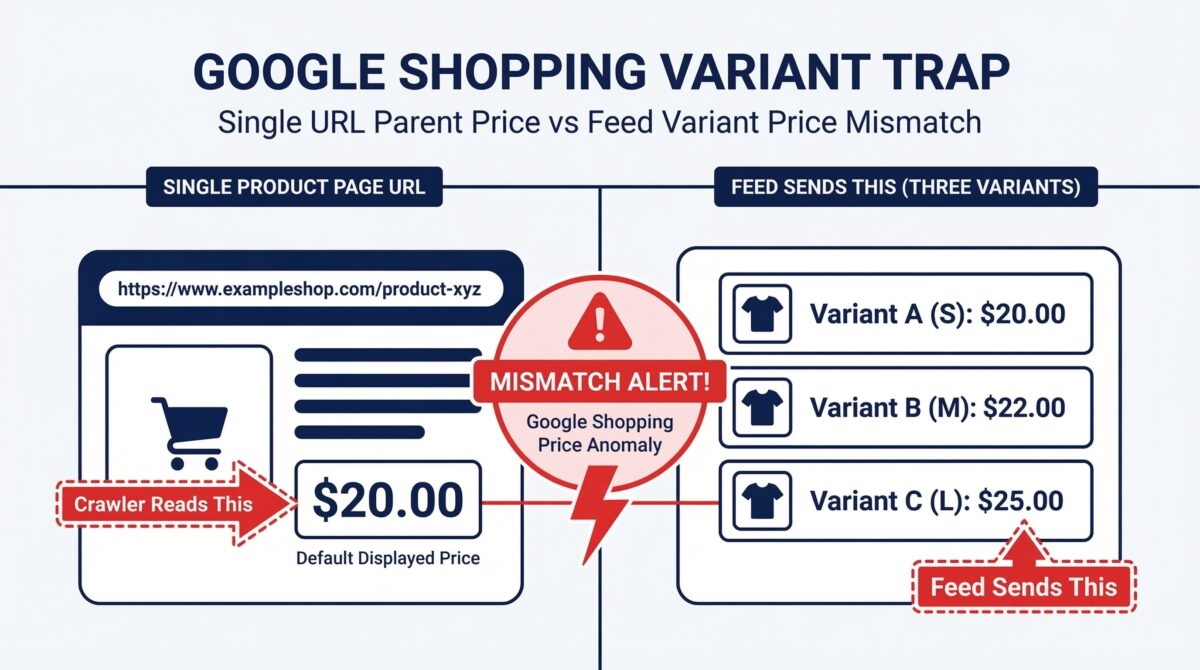
The Variant Trap: The Most Common Real Cause
If your suspension isn’t connected to the February 2026 reports, there’s a strong chance you’re dealing with what practitioners call the Variant Trap.
Here’s the scenario. You sell a product — say, a hoodie — that comes in Small ($20) and XXL ($25). Both sizes are on the same product page URL. When Google’s crawler visits that page, it reads the default displayed price, which is usually the lowest variant or the parent product price. Your feed, meanwhile, is correctly sending the specific variant price of $25 for the XXL.
Those numbers don’t match. That’s enough for a suspension.
The fix works on two levels. First, give each variant its own URL or add a unique parameter — like ?sku= or ?variant= — in the link attribute of your feed. This directs Google’s crawler to the exact variant it should be evaluating. Second, update your JSON-LD Schema so the offers field lists every variant’s price individually rather than showing a single price for the parent product. Both fixes need to be in place together for the mismatch to fully clear.
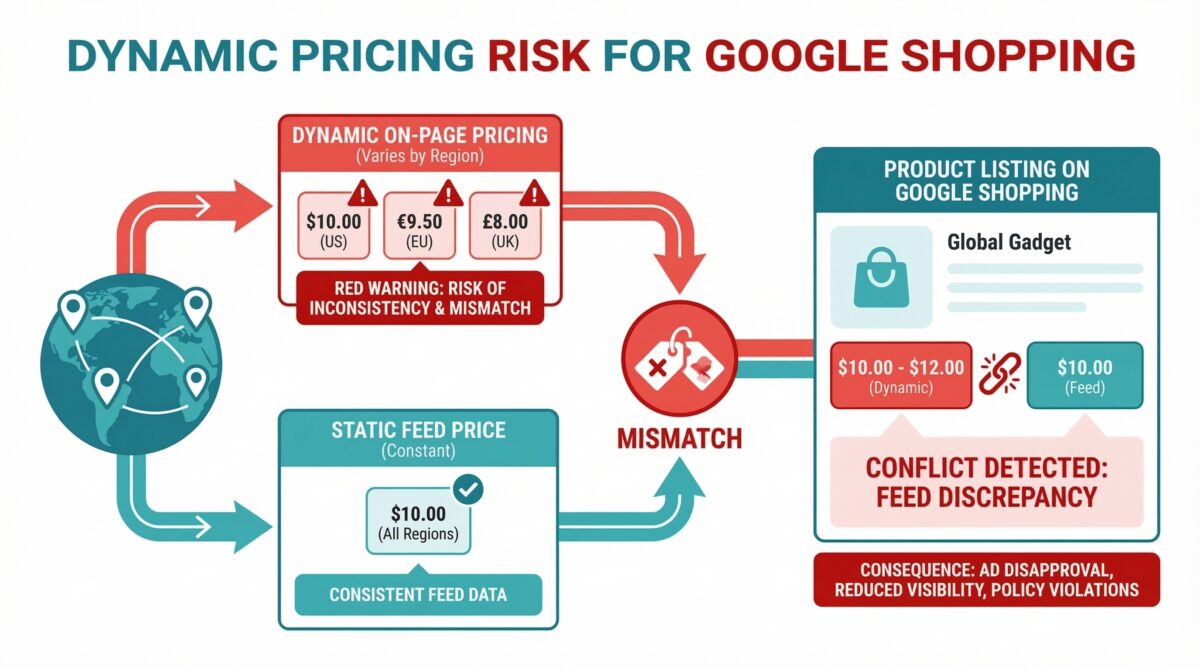
Dynamic Pricing and Location-Based Price Changes
This one catches international sellers and stores with regional pricing by surprise.
If your website shows different prices depending on where the visitor is browsing from — higher prices for certain regions, tax-inclusive prices for some countries, or promotional pricing for specific audiences — Google’s crawler may see a different price than what’s in your feed, depending on which IP address it crawls from.
That discrepancy can look like misrepresentation to Google’s systems, even if the intent behind the pricing was entirely legitimate. The price Google sees simply doesn’t match the price you submitted, and that’s the flag.
If location-based pricing is part of how your store operates, make sure your implementation is configured in a way that Google’s crawler sees a consistent price that aligns with your feed. Check Google’s current guidance on regional pricing features within Merchant Center to ensure you’re set up correctly.
The Fastest Diagnostic Step You Can Take Right Now
You don’t need to wait for a support response or file an appeal to start diagnosing this.
Open one of your best-selling flagged products in incognito mode. Copy the URL. Run it through Google’s Rich Results Test. Check the price that comes back from your Schema output and compare it to the current price on your website and in your feed. All three should be identical — same number, same currency, no leftover sale price data from a previous promotion.
That one check takes about two minutes and has resolved more cases than any other single diagnostic step in accounts I’ve worked on.
If the Schema price is wrong, that’s your fix. Update the structured data, re-submit your feed, and let Google re-crawl before filing any appeal.
Need someone to audit your Merchant Center account and fix a price mismatch suspension properly? I work with Google Shopping advertisers on Upwork: https://www.upwork.com/freelancers/nazdiocampoaimarketing
