

Google Shopping Price Mismatch Suspension: 2026 Fix
March 13, 2026
Google Merchant Center Suspended? 3 Trust Signals Explained
March 15, 2026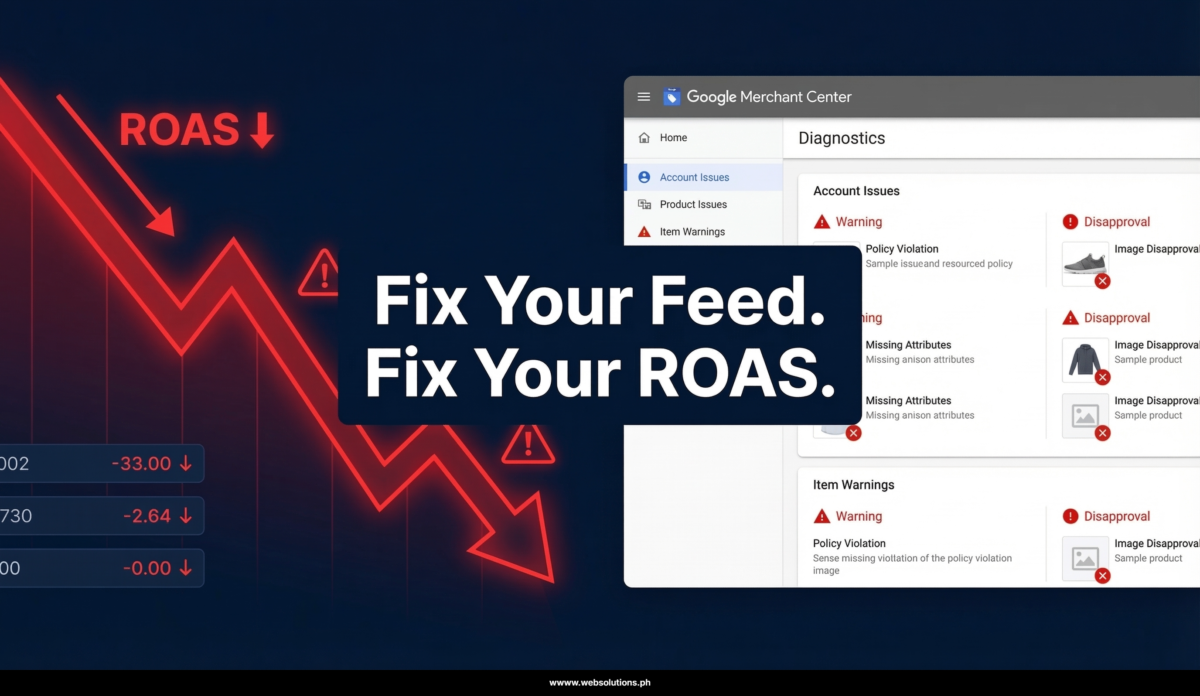
Stop Touching Your Bids. Your Google Shopping ROAS Problem Is Somewhere Else.
Every time I audit a Google Shopping campaign with declining ROAS, I hear the same story. The advertiser lowered their tROAS target. Paused low performers. Restructured ad groups. Maybe even rebuilt the whole campaign from scratch. Still dropping.
Then I open Merchant Center — and there it is. Disapprovals everywhere. Price mismatches. Titles like “Blue Summer Dress – Size M.” Products that haven’t had a feed update in weeks. GTINs missing across half the catalog.
The bids were never the problem. The feed was.
Why the Product Feed Controls Everything in Google Shopping
Google Shopping isn’t like Search. You don’t pick your keywords — Google reads your product feed and decides which search queries your products are relevant for. That means your titles, GTINs, images, pricing, and attributes are doing the same job that keywords do in a Search campaign.
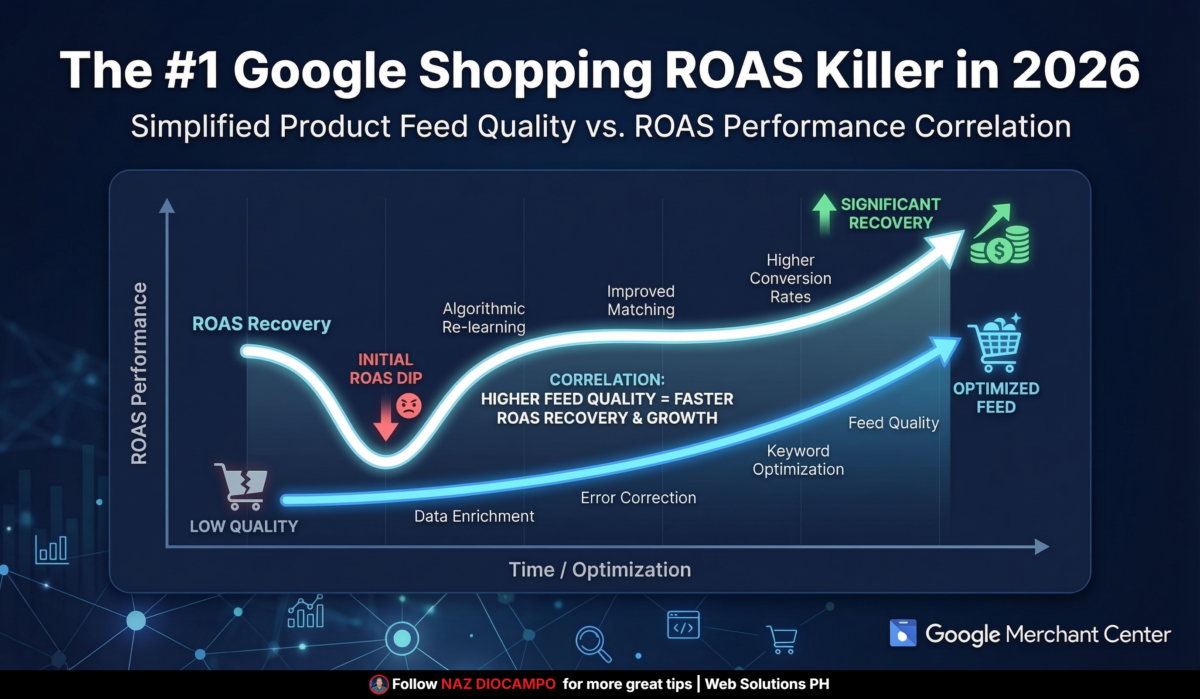
When that data is weak or mismatched, Google can’t find the right auctions for your products. It puts you in front of the wrong shoppers — people with low purchase intent who click but don’t convert. Your cost per click stays the same, your conversion rate drops, and ROAS slides week over week while you keep adjusting bids that were never the root cause.
I’ve seen accounts burning 60% of their spend on products with zero sales in 90 days. The advertisers running those accounts had no idea — because the campaign was technically active and spending.
The 3 Feed Problems That Show Up Most Often
The first and most damaging issue is weak product titles. A title like “Blue Summer Dress – Size M” tells Google almost nothing about the product or the buyer. A properly built title — something like “Women’s Floral Wrap Midi Dress Blue Size M Summer Beach Casual” — gives Google a much richer set of signals to match against real search queries. The CTR and conversion rate difference between these two approaches is not small.
Supporting Image Prompt: Side-by-side comparison graphic (800x450px) — left panel shows a weak generic product feed title in red with a red X icon, right panel shows a keyword-rich optimized title in green with a checkmark, clean white background, professional product feed UI style, no human subjects Alt Text: Comparison of weak vs. optimized Google Shopping product title for better ROAS and CTR
The second issue is missing GTINs. These are product identifiers — barcodes, UPCs, ISBNs — that Google uses to understand exactly what you’re selling and match it against competitive auctions. Without them, Google struggles to verify your product data or find the right placement opportunities. Missing GTINs can reduce click volume by up to 40%, and most advertisers have no idea they’re missing them until they run a feed audit.
The third is stale or mismatched pricing. If your feed shows one price and your landing page shows another, Google flags it — and your product loses visibility or gets disapproved entirely. This happens constantly with Shopify and WooCommerce stores using feed plugins that update every 24 hours or less frequently. During high-velocity sales periods, that lag is enough to cause significant disapprovals.
How Smart Bidding Makes a Bad Feed Worse
This is the part that surprises most advertisers. Performance Max and Smart Bidding strategies like tROAS and Maximize Conversion Value don’t just spend your budget — they learn from your performance signals over time. If your feed is sending bad traffic because your titles are off or your GTINs are missing, Smart Bidding starts to treat that bad traffic as normal for your account.
Over time you get stuck in a loop: bad feed data leads to wrong traffic, wrong traffic leads to low conversions, low conversions teach Smart Bidding to keep finding that same audience, and ROAS keeps sliding. Adjusting your tROAS target doesn’t break the loop. Fixing the feed does.
I watched this play out directly during the February 2026 Merchant Center disruption. Retailers with unoptimized or stale feeds lost 30–50% of revenue in just 17 days — not because of anything they did wrong in their campaigns, but because the algorithm was running on corrupted feed signals and couldn’t make accurate bidding decisions.
Where to Start: The Merchant Center Diagnostics Tab
If you’re not sure whether your feed is the problem, this test takes about three minutes.
Open Google Merchant Center. Click Products in the left navigation. Go to Diagnostics. You’re looking for disapprovals, price mismatches, availability mismatches, limited performance warnings, and missing required attributes.
If any of those are showing — even at small scale — you have a feed problem affecting your ROAS right now. The good news is that most accounts see real recovery within one to two weeks of addressing the core issues.
Start with titles. Add or verify GTINs. Sync your pricing in real time if possible. And consider segmenting your Shopping or PMax campaigns by performance tiers rather than running one catch-all feed.
Your Feed Is Your Primary Sales Tool
Your Merchant Center product feed is not a one-time setup task. It’s the main signal layer Google’s AI uses to decide where, when, and for whom to show your products. Clean data in, strong ROAS out. Bad data in, wasted spend out.
If your Shopping ROAS has been declining and you haven’t audited your feed recently, that’s the first place to look — not your bids.
Need a full Google Shopping feed audit? I offer free consultations and take on a limited number of new clients each month via Upwork: 👉 https://www.upwork.com/freelancers/nazdiocampoaimarketing
